
Virtual Machines: A Complete Guide to How They Work, Benefits, and Uses
Virtual Machines (VMs) have become an important part of modern computing. Whether you are using cloud services, managing business applications, developing software, or simply exploring a different operating system, a virtual machine can provide a flexible and convenient environment. Instead of purchasing a separate physical computer for every operating system or application, users can create multiple virtual computers on a single physical machine.
In simple terms, a Virtual Machine is a software-based computer that works inside another physical computer. It can have its own operating system, storage, memory, applications, and settings. Although it shares the physical hardware with the host computer, it operates in an isolated environment, making it feel much like a separate computer.
What Is a Virtual Machine?
A Virtual Machine is an emulated or virtualized computer system created using software. The physical computer on which the VM runs is commonly called the host, while the operating system running inside the VM is known as the guest operating system.
For example, a person may have a Windows computer but need Linux for software development. Instead of installing Linux directly on the computer or buying another device, they can create a virtual machine and install Linux inside it. Both environments can then be used on the same physical hardware.
Virtual machines are created and managed by a program called a hypervisor. The hypervisor controls access to resources such as the processor, RAM, storage, and network connection. This allows several virtual machines to operate on one physical computer.
How Do Virtual Machines Work?
Virtual machines work through a virtualization layer provided by the hypervisor. When a VM starts, it receives a portion of the host computer’s available resources.
For example, a physical computer with 16 GB of RAM might assign 4 GB to one virtual machine and another 4 GB to a second VM. The remaining memory can be used by the host operating system and other applications.
The VM also receives virtual hardware, including a virtual processor, virtual hard drive, network adapter, and other components. The guest operating system interacts with this virtual hardware as if it were a normal physical computer.
There are two common types of hypervisors. Type 1 hypervisors run directly on physical hardware and are widely used in servers and data centers. Type 2 hypervisors run on top of an existing operating system and are often used by developers and everyday computer users.
Why Are Virtual Machines Important?
One of the biggest advantages of Virtual Machines is resource efficiency. Organizations can run multiple workloads on fewer physical servers, which can reduce hardware costs and energy consumption.
VMs also provide flexibility. A company can create a new virtual server within minutes rather than purchasing and configuring a new physical machine. This is especially useful for businesses that need to quickly increase their computing capacity.
Another important benefit is isolation. A virtual machine can be separated from other virtual machines running on the same host. If a test application causes problems inside one VM, it generally does not affect the other virtual environments.
Common Uses of Virtual Machines
Virtual machines are used in many different areas of technology.
Software development is one popular use. Developers can test applications on different operating systems without needing multiple physical computers. They can create separate environments for testing, development, and production.
Cybersecurity testing can also benefit from virtualization. Security professionals and students can create isolated environments for learning and testing applications without exposing their primary computer to unnecessary risks.
Business servers are another major use. Organizations can run databases, web applications, file servers, and other workloads as virtual machines on powerful physical servers.
Virtual machines are also widely used in cloud computing. Cloud providers use virtualization to deliver flexible computing resources to customers. Users can select the amount of processing power, memory, and storage they need and adjust those resources as requirements change.
Advantages of Virtual Machines
There are several reasons businesses and individuals choose virtualization.
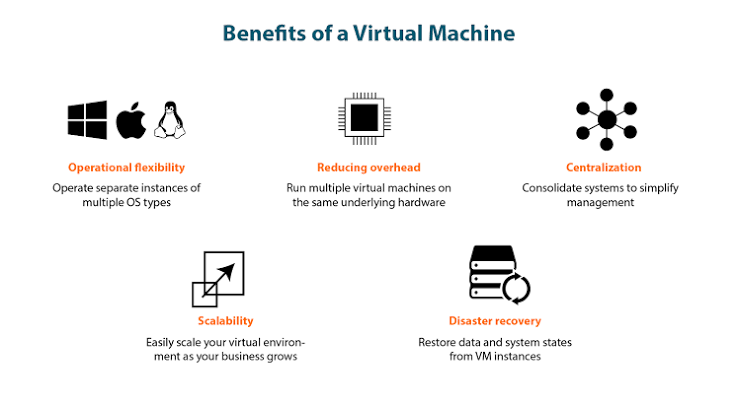
- Cost savings: Multiple virtual environments can run on one physical server.
- Flexibility: New virtual machines can usually be created quickly.
- Isolation: Separate workloads can operate in independent environments.
- Easy testing: Developers can experiment without changing their main operating system.
- Backup and recovery: VM configurations and virtual disks can often be copied or restored more easily than physical systems.
- Scalability: Virtual resources can be adjusted according to workload requirements.
- Multiple operating systems: Different operating systems can run on the same physical computer.
These benefits make virtualization useful for both small projects and large enterprise environments.
Virtual Machines vs. Physical Computers
A physical computer has dedicated hardware, while a virtual machine uses virtualized hardware provided by the host system. A physical computer can often provide maximum performance because its resources are not shared through a virtualization layer.
However, physical systems can be more expensive and less flexible when an organization needs many separate environments. Virtual machines make it possible to consolidate workloads and manage resources more efficiently.
The right choice depends on the workload. Applications requiring extremely high performance or specialized hardware may benefit from dedicated physical systems, while many business and development workloads can work very well in virtual environments.
Virtual Machines and Cloud Computing
The growth of cloud computing has made Virtual Machines even more popular. Cloud platforms allow users to rent virtual computing resources instead of purchasing and maintaining physical servers.
A business can create a virtual server for a website, application, database, or internal service and pay for the resources it uses. When demand increases, additional virtual machines can be deployed. When demand decreases, unnecessary resources can be removed.
This approach gives businesses greater flexibility and can reduce the need for large upfront hardware investments.
Are Virtual Machines Right for Everyone?
Virtual machines are powerful, but they are not perfect for every situation. Running several VMs can require significant RAM, processor capacity, and storage. Performance may also be lower than running an application directly on physical hardware, depending on the workload and virtualization setup.
For basic tasks, a VM may be unnecessary. However, for development, testing, server consolidation, education, cloud computing, and isolated environments, virtualization can be an extremely useful technology.
Final Thoughts
Virtual Machines have changed the way computers and servers are managed. By allowing multiple independent environments to share physical hardware, virtualization provides flexibility, scalability, isolation, and efficient resource usage.
From software developers testing applications to companies running cloud-based services, VMs are now an important part of modern IT infrastructure. As businesses continue moving toward cloud computing and flexible digital systems, understanding how Virtual Machines work can help users make better technology decisions.
Whether you are a beginner learning about virtualization or a professional managing IT infrastructure, Virtual Machines offer a practical way to create, test, manage, and scale computing environments without requiring a separate physical computer for every task.